How people sign up for Daybreak texts
Last updated November 19, 2026
There is one way to sign up: a web form inside a Daybreak account. Nobody is ever texted unless they type in their own mobile number, confirm it with a code, and then tick a Text box themselves. There is no keyword sign-up, no paper form, no phone sign-up, and no pre-ticked box. Texts are never a condition of using Daybreak.
Step 1. The person adds their mobile number
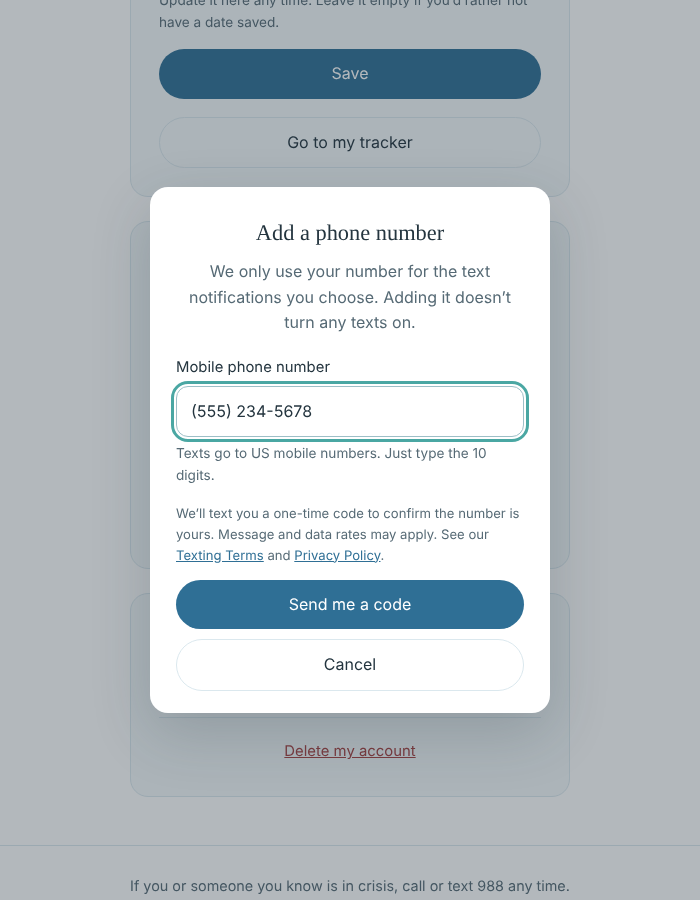
On their account page at soberdaybreak.com, the person chooses Add a phone number and types their own mobile number. The form says that Daybreak will text a one-time code to confirm the number, that message and data rates may apply, and links to the Texting Terms and Privacy Policy. Adding a number does not turn any texts on.
Step 2. The person confirms the number with a code
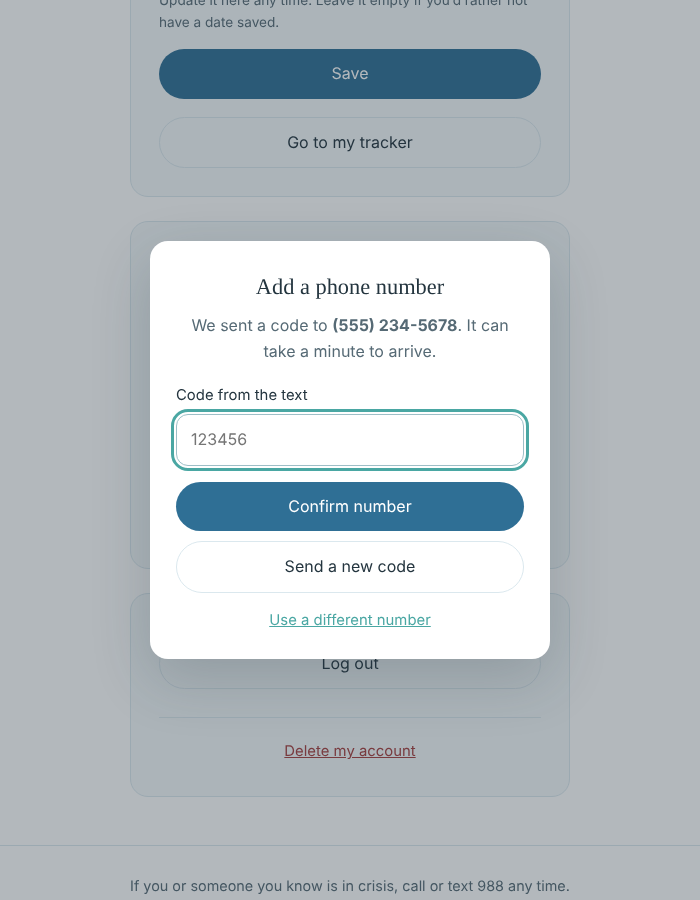
Daybreak sends a one-time code by text to that number. The person enters the code to prove the number is theirs. Until they do, the number is never used for notifications.
Step 3. The person turns on a Text option and agrees
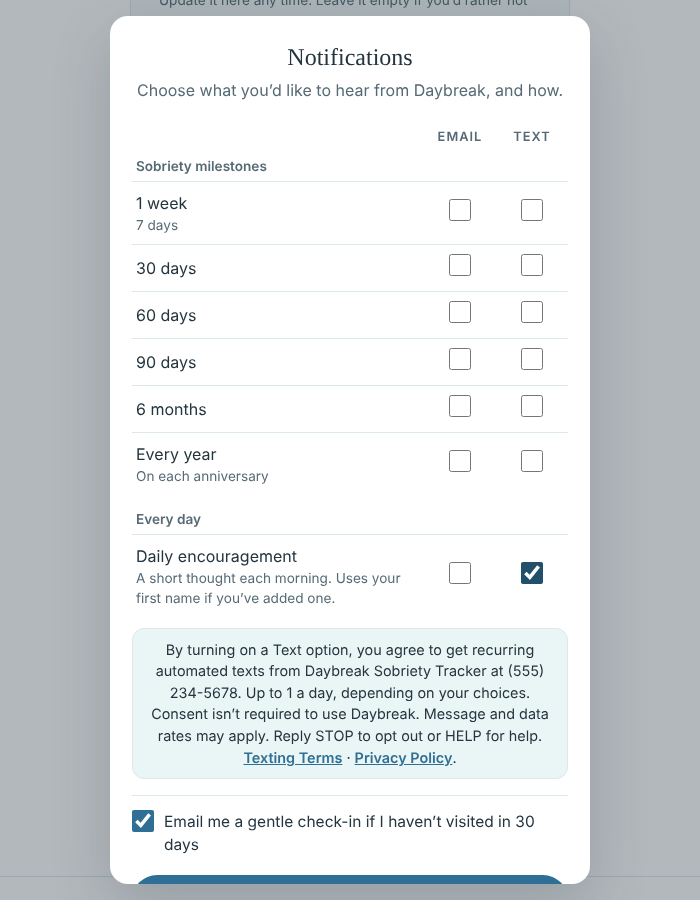
In Notifications, the person ticks the Text box for each message they want. Every box starts unticked. Next to the boxes this notice is shown:
By turning on a Text option, you agree to get recurring automated texts from Daybreak Sobriety Tracker at (the person’s number). Up to 1 a day, depending on your choices. Consent isn’t required to use Daybreak. Message and data rates may apply. Reply STOP to opt out or HELP for help. Texting Terms · Privacy Policy.
What they receive
- Only the messages they ticked: sobriety milestones (about 6 in the first year, then 1 a year) and, if chosen, daily encouragement (up to 1 a day).
- Example: “Daybreak: Sam, congratulations on 30 days! You should be proud of this. Reply STOP to opt out.”
- No marketing or promotional texts.
How they stop
Reply STOP to any text, untick the Text boxes in Notifications, or remove the number on the account page. Reply HELP for help. Full details are in the Texting Terms; how we handle information is in the Privacy Policy.